Sci-fi Soccer Game User Journey Design
Objective: Navigating horizontally in mobile games with one hand can often be challenging. This sci-fi soccer card game serves as a case study for demonstrating an innovative user interaction design. Players are empowered to seamlessly navigate between different modes and interfaces using a single hand.
Players can choose between two interaction modes: button mode or no-button mode, allowing flexibility based on their preferences.

Creative Ideas
De-button Design
Traditional button interactions require players to locate, press, and release buttons, which can be limiting on small mobile interfaces. This design replaces buttons with a soccer ball as the primary interaction tool.
How It Works: Players press the soccer ball, slide it toward the target (e.g., a goal), and release to complete the action.
Benefits: By reducing the reliance on small, hard-to-press buttons, the design minimizes accuracy requirements and speeds up target selection, enhancing overall usability and efficiency.
Soccer ball as a cursor
Unlike traditional card games that use static cards to represent content like characters or skills, this design leverages a dynamic soccer ball as a cursor.
Design details
The soccer ball acts as a carrier, transforming into various presentation forms depending on the game stage.
During interactions, the ball flashes red and jumps to prompt quick confirmation, while a flashing projection expands the deck for easier selection.
A mini-game during matchmaking keeps players engaged while waiting for the game to start.
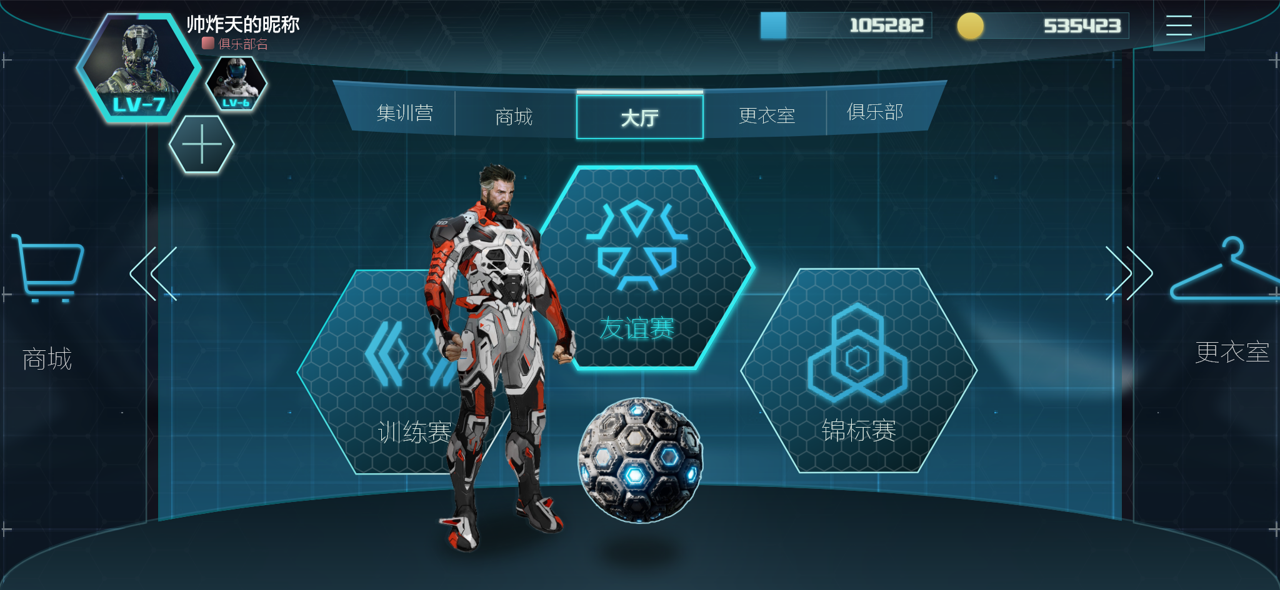
Ring Screen and Soccer Ball Navigation
Overview:
The ring screen serves as the central hub for navigation, featuring a display ring with main gameplay entrances.
How It Works:
Players can swipe left or right on the screen to access other areas, such as the shopping mall or locker room.
The design ensures seamless transitions between key gameplay areas while maintaining an intuitive interface.
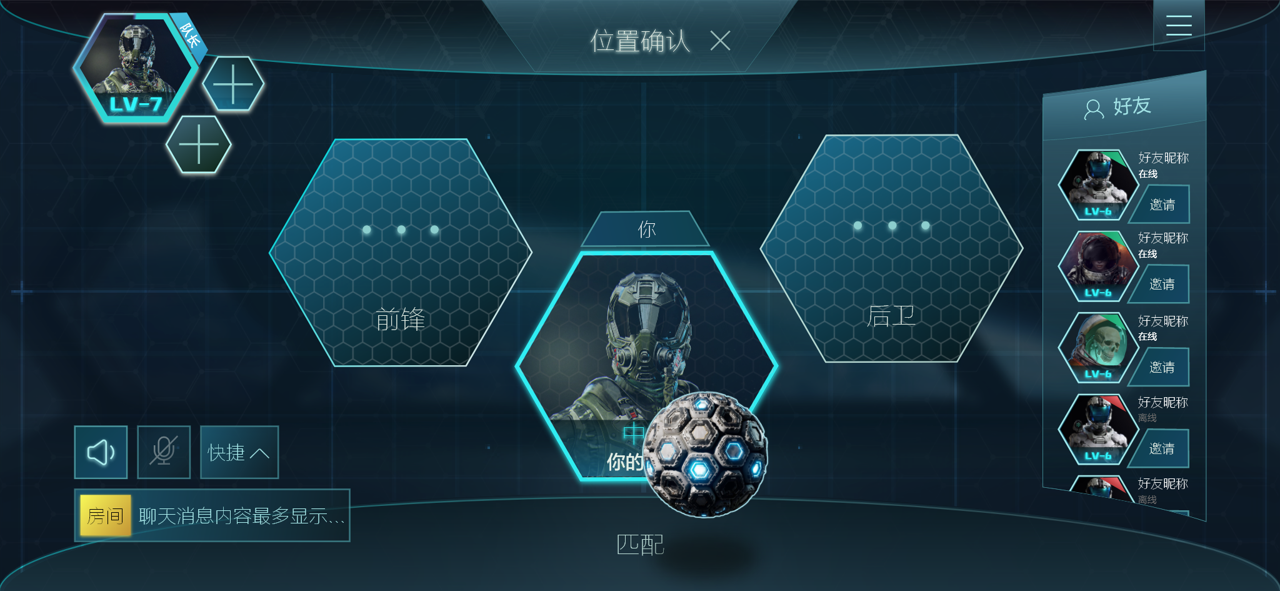
Soccer Ball Interaction
Players can complete various operations by swiping the soccer ball in different directions:
If the target position is the current position, swipe the soccer ball downward to start matchmaking. (For button mode, a dedicated button is available.)
If the target position is another area, swipe the soccer ball toward the target to confirm the change. The player’s avatar remains in the center, ensuring clarity during selection.
To return to the main interface and reselect a mode, swipe the soccer ball upward. (In button mode, players can click to return.)
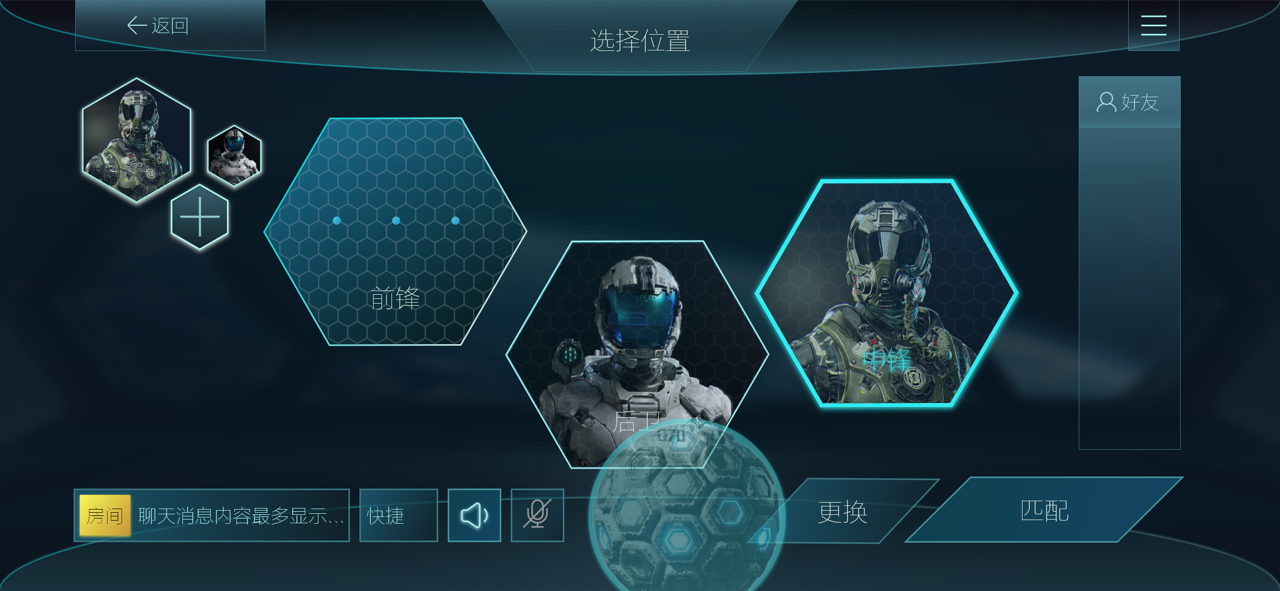
Non-Soccer-Selection Mode
In this mode, players can use a dedicated button to complete operations directly, providing an alternative interaction method for users who prefer traditional controls.
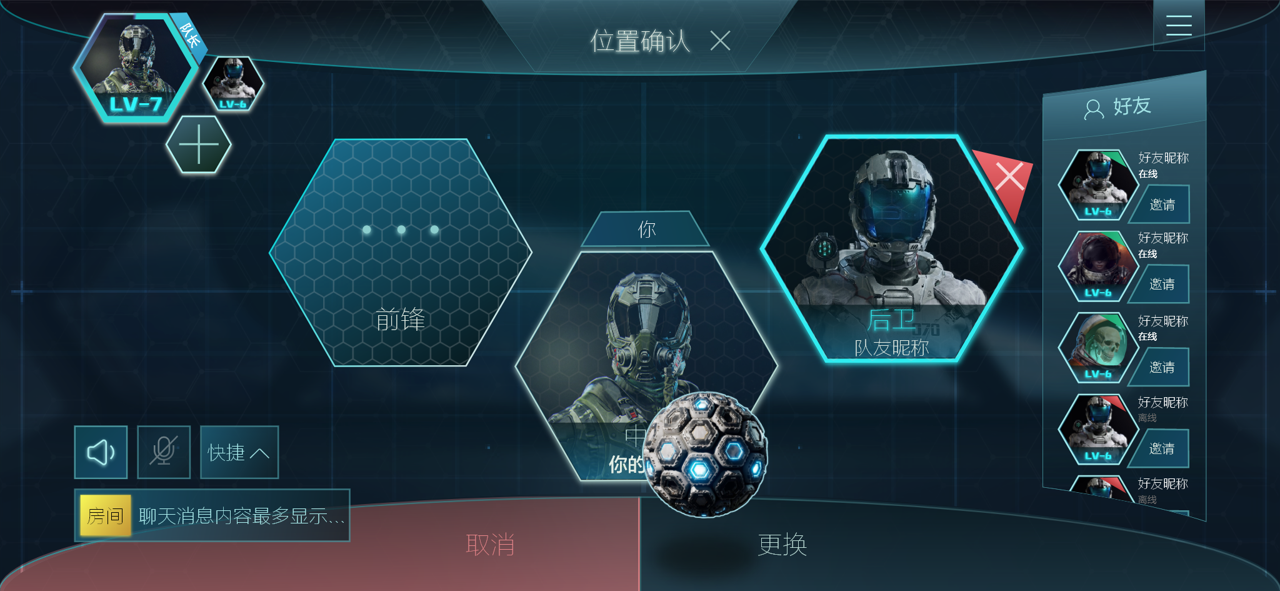
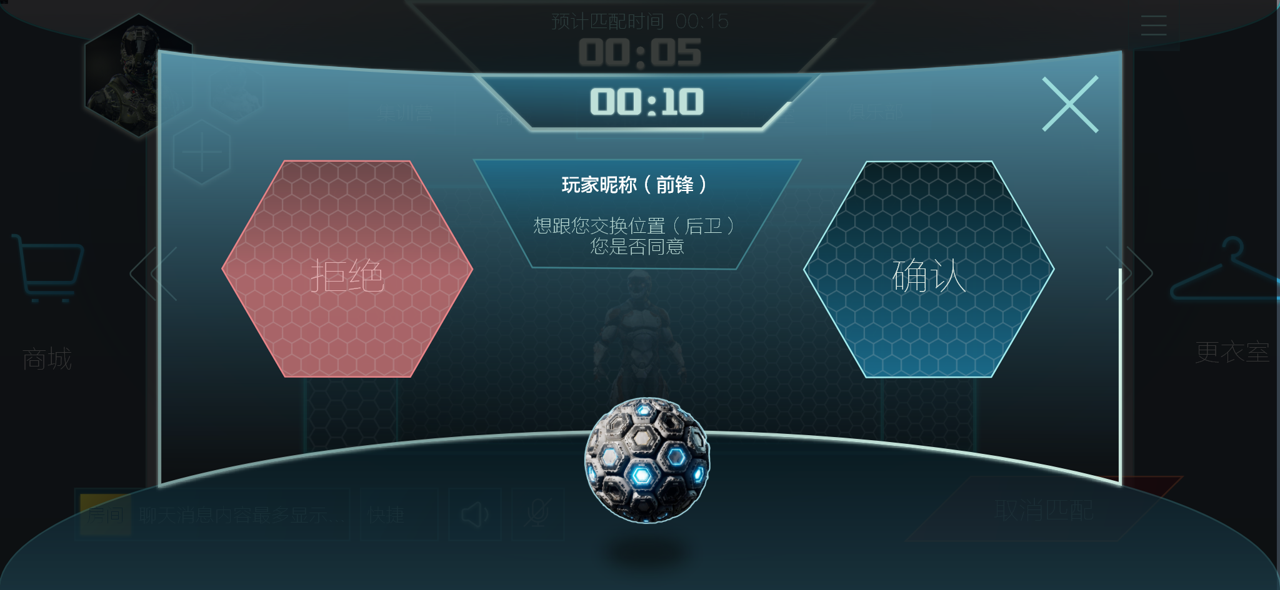
Soccer Ball Interaction
Players can perform the following actions by swiping the soccer ball:
Swipe Left: Cancel the position change request.
Swipe Right: Confirm the position change request.
Sliding Operations and Match Preparation
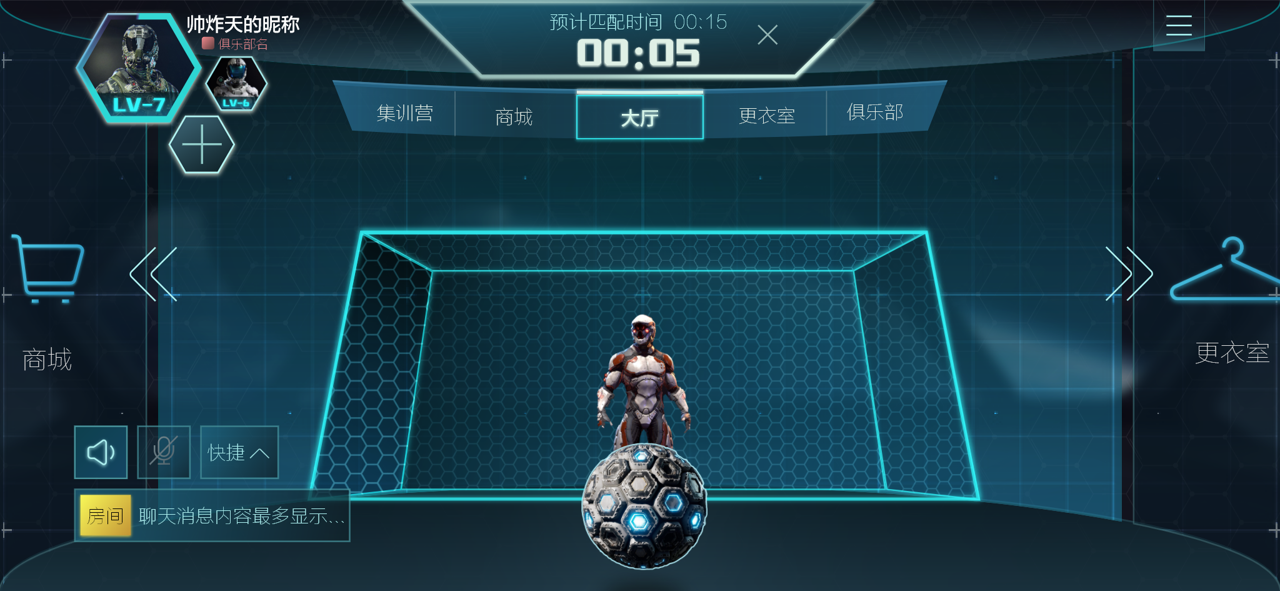
Players can interact with swap position (from the other players) requests by swiping the soccer ball in different directions:
Swipe left: Reject the request. (Button mode allows clicking to reject.)
Swipe right: Accept the request. (Button mode allows clicking to accept.)
Match Waiting Time
During the match-making time, players can practice shooting by sliding the soccer ball.
This feature ensures players remain engaged while preparing for the game, combining utility and entertainment.
Match Confirmation with Soccer Ball
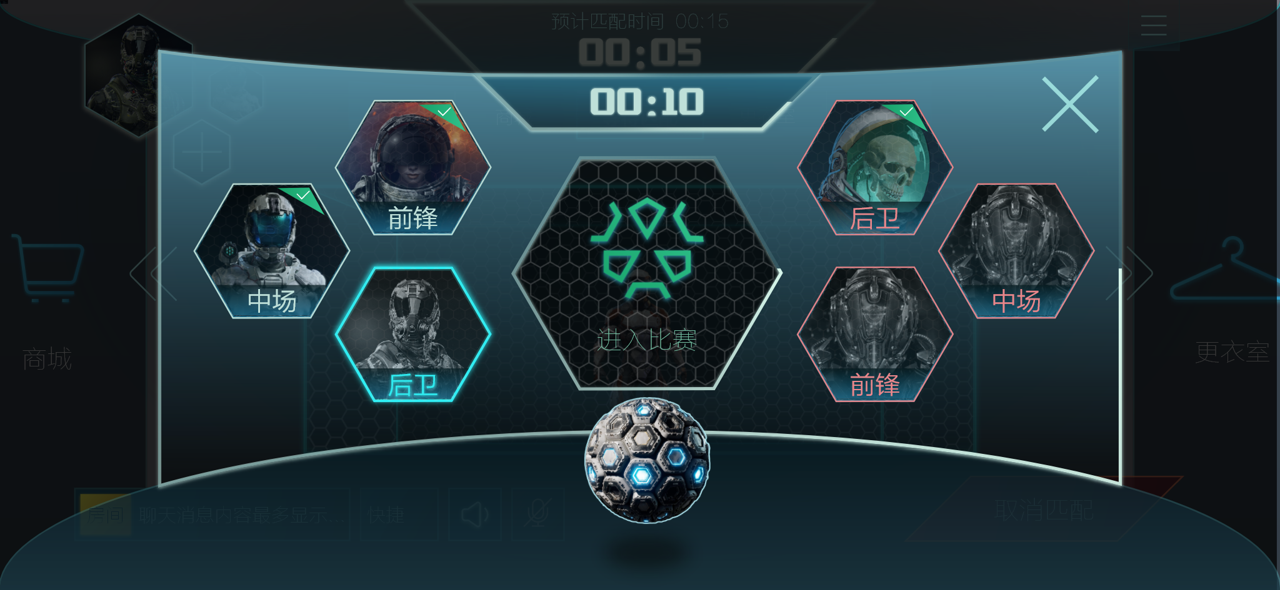
In the middle of the screen, players must confirm the match by swiping the soccer ball.
Process:
After swiping to confirm, the ball stays in the center while awaiting confirmation from all players.
If the confirmation fails, the soccer ball returns to the original position.
Once all players confirm, the ball moves forward, completing the match confirmation process. (Button mode allows direct clicking.)
Countdown and Feedback Mechanism
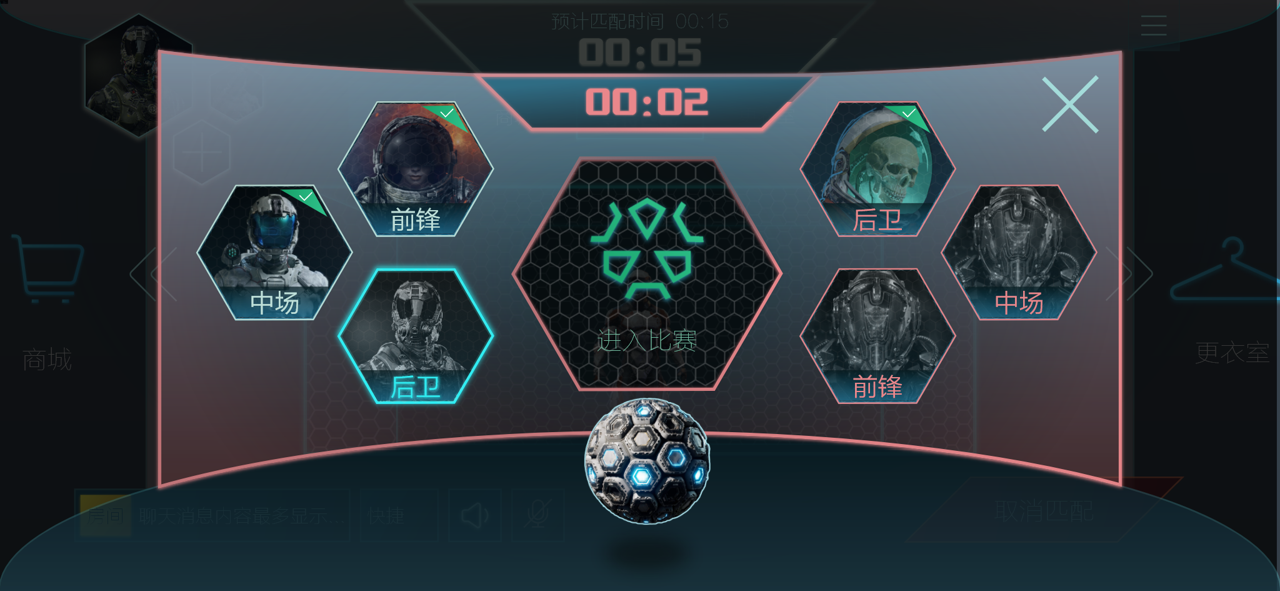
Visual Prompt: Near the end of the countdown, the screen flashes red to prompt players to confirm the match.
Tactile Feedback: The soccer ball jumps, and the phone vibrates, creating an immersive prompt to ensure quick player response.
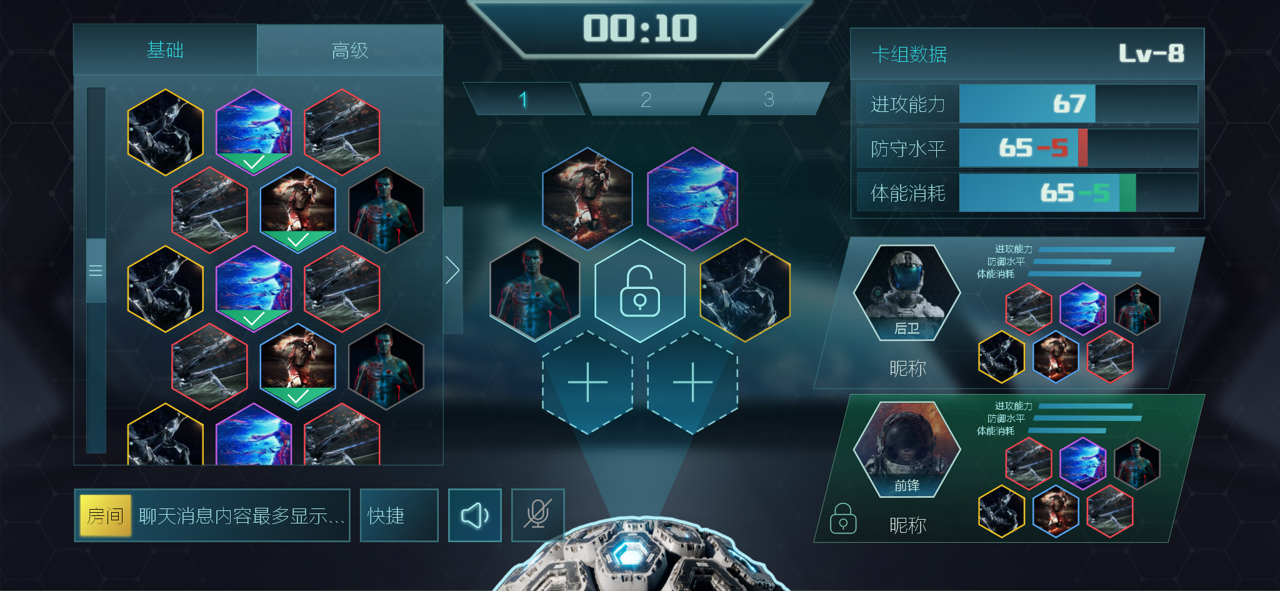
Tabs and Skill Card Categories
The two tabs in the top-left corner categorize skill cards into Basic Skill Cards and Advanced Skill Cards.
Players can click the arrow to expand the list and browse the available skill cards.
Communication and Quick Coordination:
The Communication Box in the bottom-left corner facilitates interaction with teammates.
Players can select quick phrases to guide teammates on how to cooperate effectively.
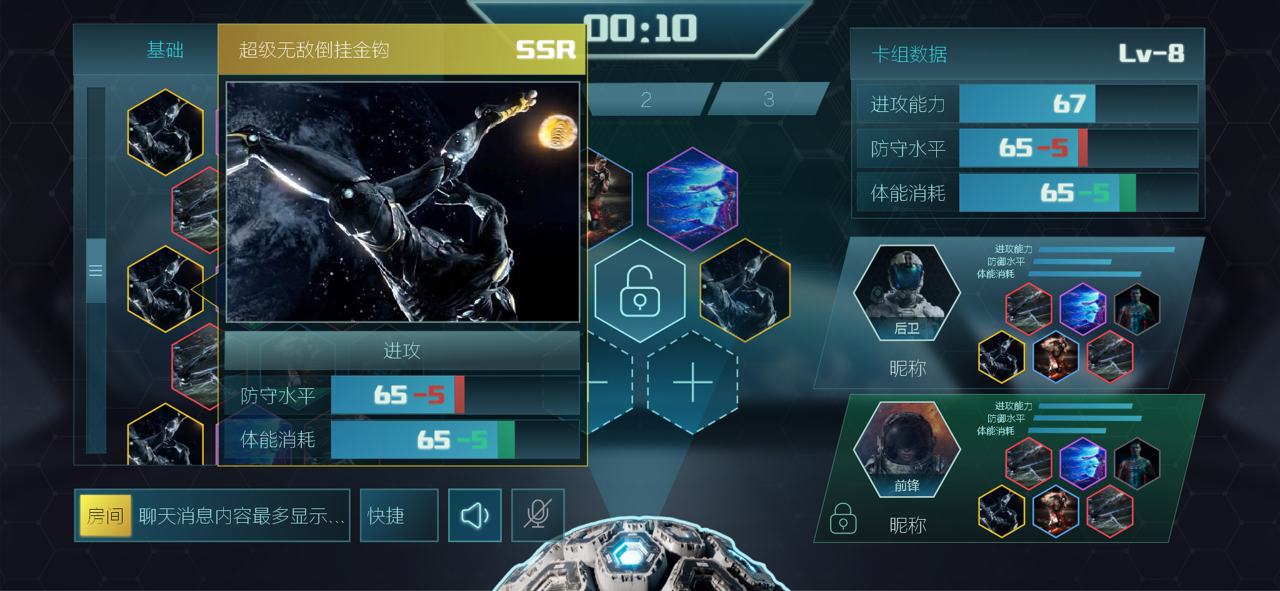
Preset Decks and Dynamic Changes
Three preset decks are available for quick selection and editing.
Any changes to the selected deck are dynamically reflected in the data panel on the right.
Skill Card Details:
Clicking on a card displays its detailed information, including:
Name
Animation
Rarity
This design streamlines deck management while enhancing team communication and decision-making efficiency.
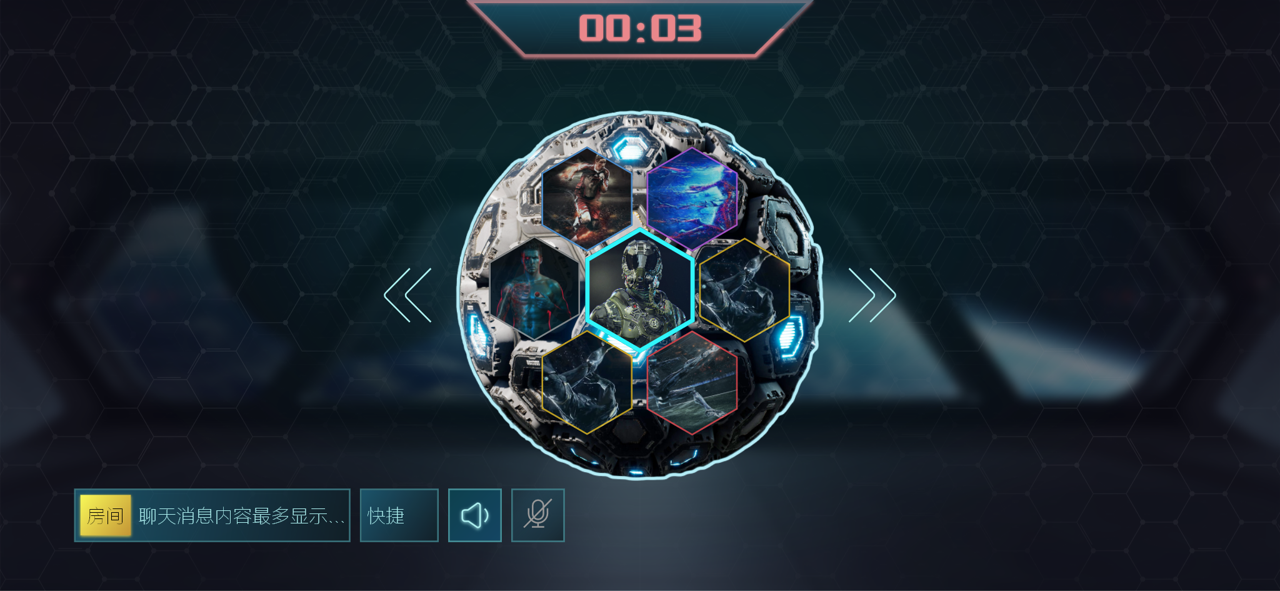
Teammate Card Review:
Once locked, players can review their teammate’s card selections by rotating the ball left and right.
This feature provides an interactive way to assess the overall team composition before the match begins.
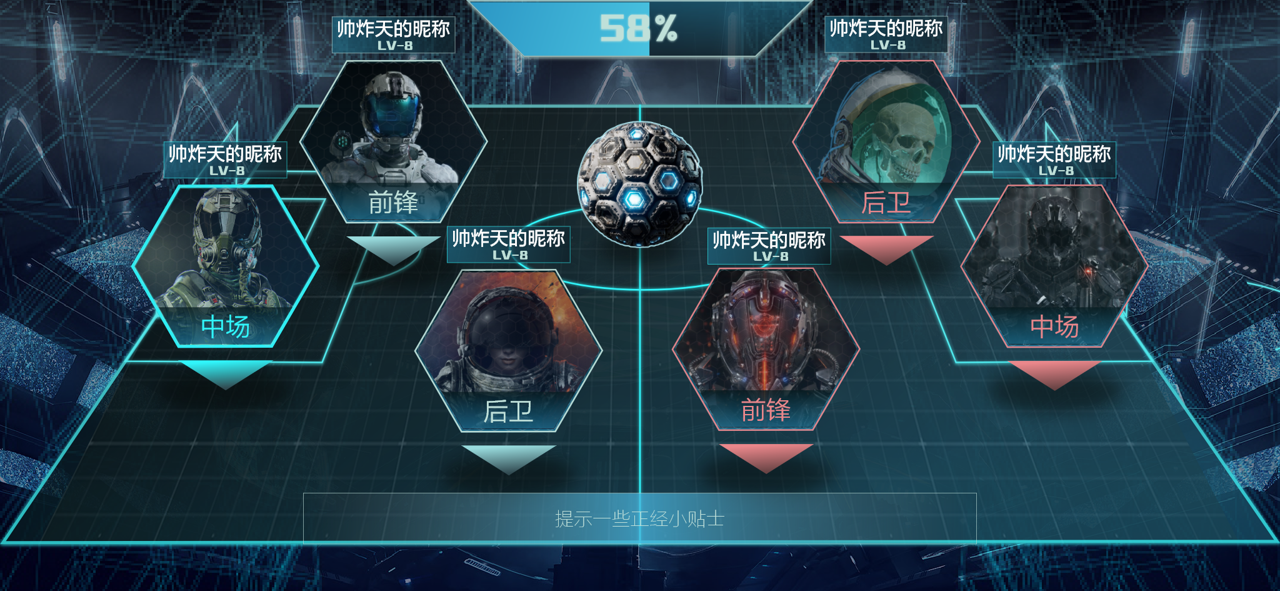
Match Transition:
After the game loads, the soccer ball descends to the center of the court.
The camera dynamically zooms out to reveal the entire court and display the lineup of both teams.
This cinematic transition sets the stage for the match, ensuring clarity and immersion for the players.
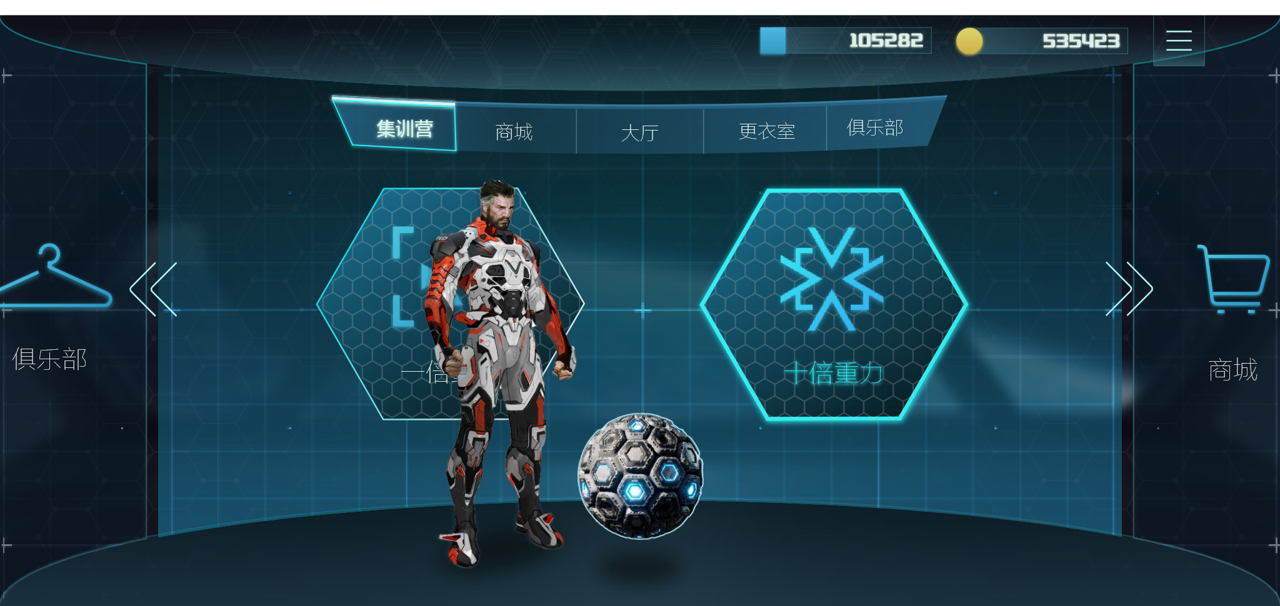
Card Draw Mechanics
Players interact with the soccer ball to initiate gravity training, which translates into card draws. The operation is as follows:
Swipe left: Triggers a single gravity training session (equivalent to one card draw).
Swipe right: Initiates ten consecutive gravity training sessions (equivalent to ten card draws).
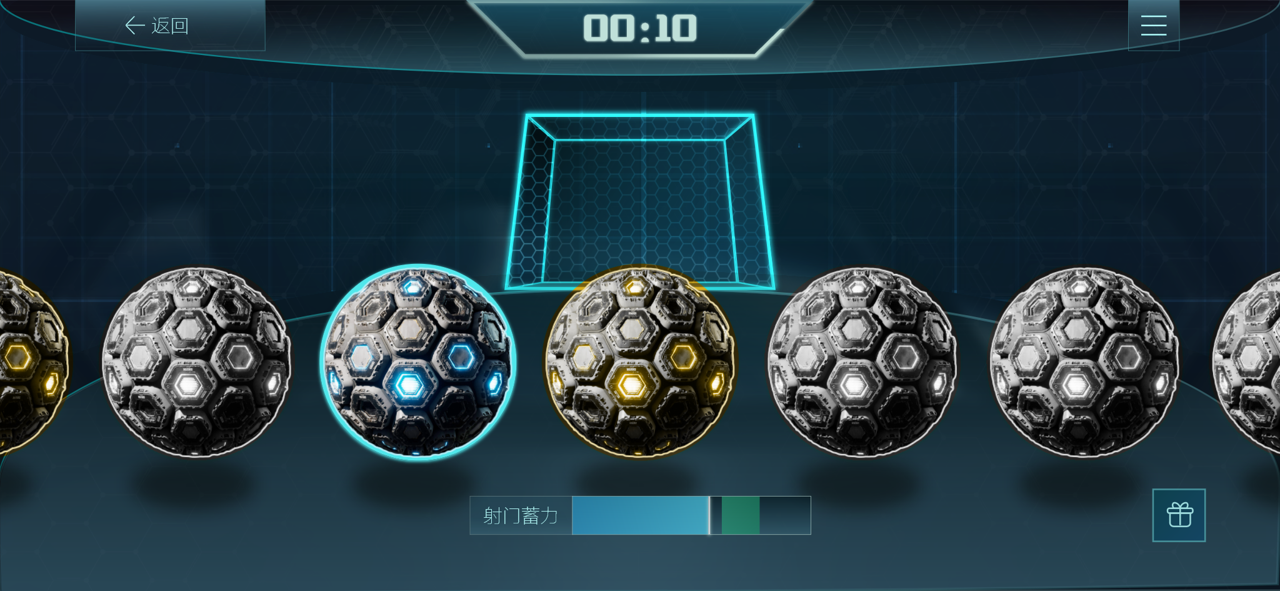
Interactive Feedback
After the action is confirmed, the balls roll across the screen in a row, symbolizing the training outcomes.
The player then selects the ball they wish to interact with, representing their chosen reward.
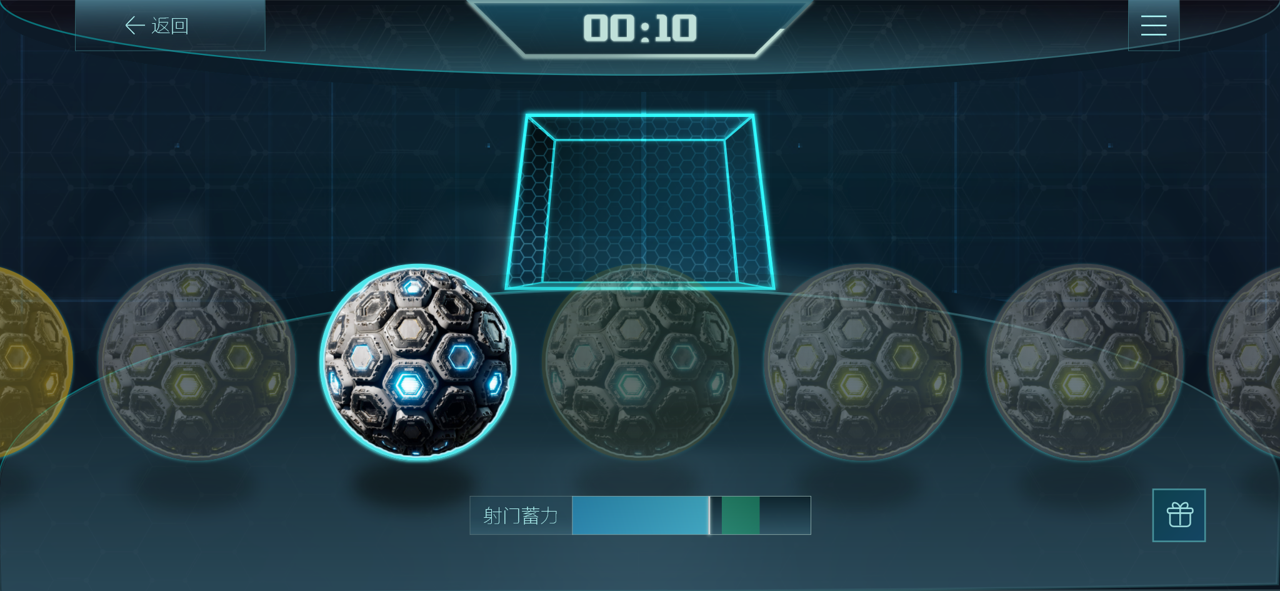
Selection Process
Players choose the soccer ball they want to draw from, while the transparency of the other balls decreases to emphasize the selected one.
If the player decides to change their choice, they can release the current selection, and the interface will return to the previous state, allowing them to reselect.
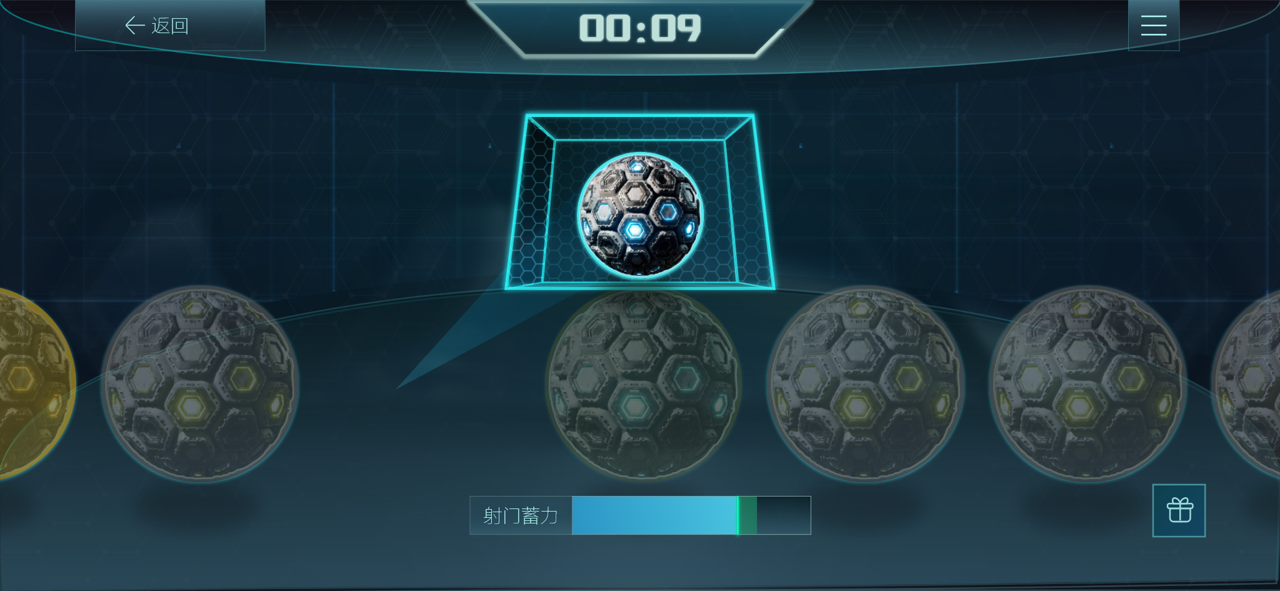
Enhanced Playability
After selecting a ball, players must charge and aim at the goal to finalize their draw.
Shooting Mechanic: Players can only shoot successfully if they release the ball within the defined range, introducing a skillful timing element to the card draw process.
This mechanic adds an interactive layer to increase the engagement and playability of the drawing system.
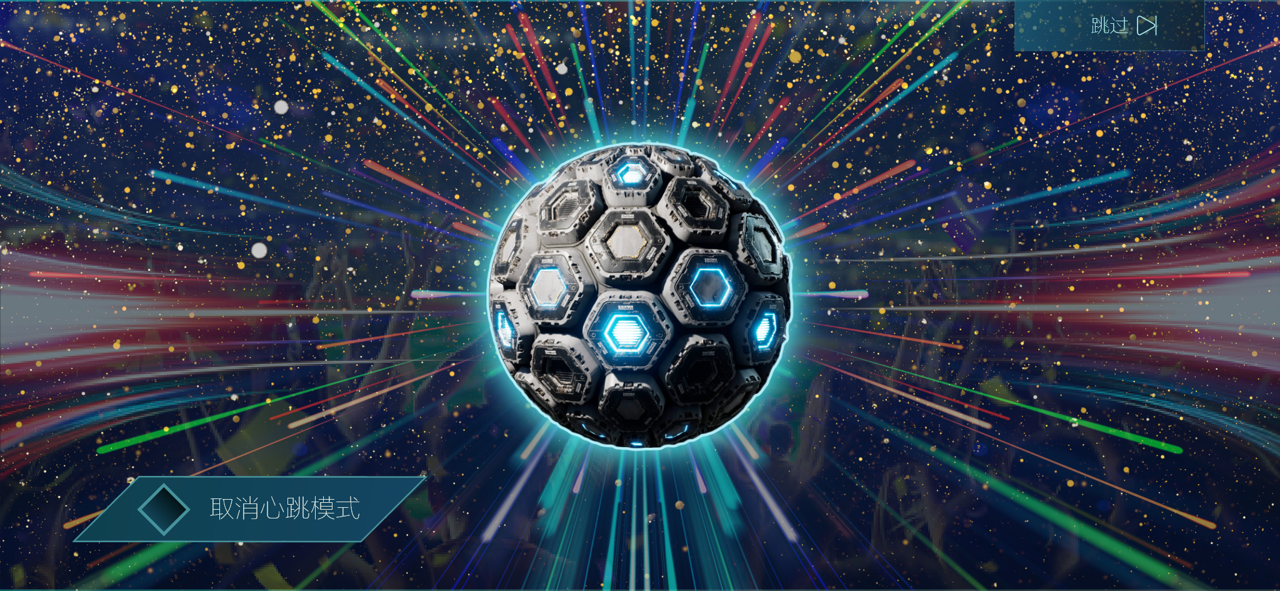
Goal Animation
Once the selected ball hits the goal, it bursts into a card, and the echo of the card gathers back into a new ball.
Players are given the option to skip animation effects for faster interaction.

Interactive Eye-Closing Detection
The interface prompts players to close their eyes, using the front camera to detect this action via an OpenCV-based algorithm.
When the player opens their eyes at the designated moment, the cards are revealed, enhancing immersion and anticipation.

Card Animation
All drawn cards are presented with dynamic animations that visually enhance the reveal experience.
The center of the screen features a focused animation on the drawn cards.
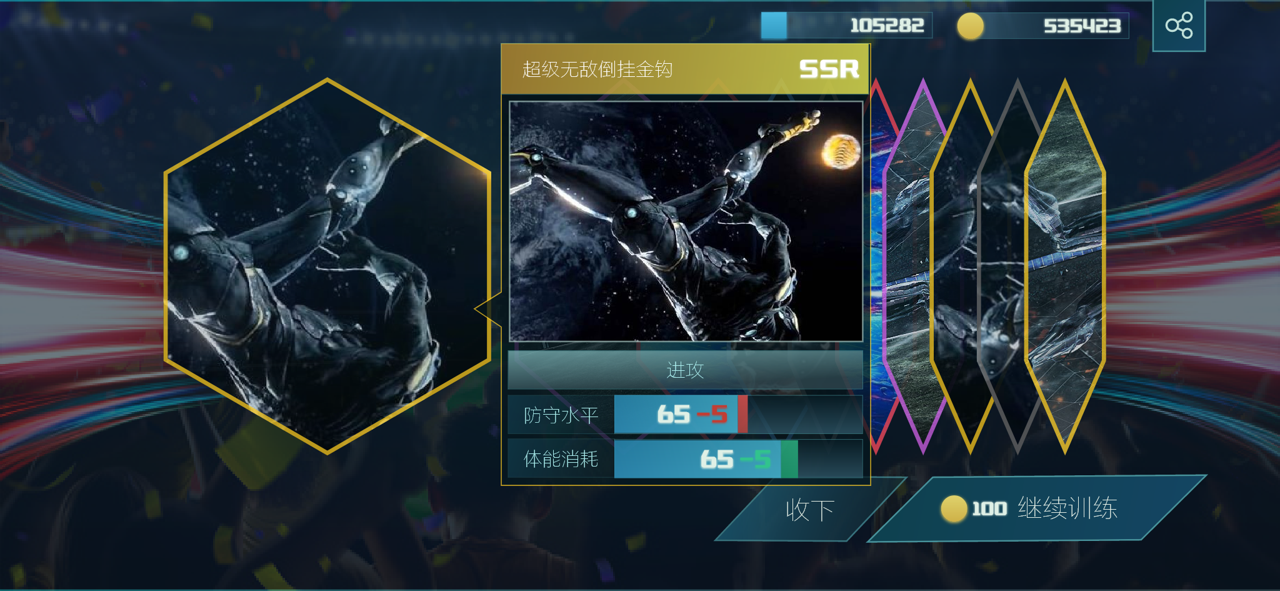
Interaction Options
Players can click “Accept” to finalize and return to the main interface.
For further engagement, players are given the option to spend in-game currency or real money to continue drawing additional cards.