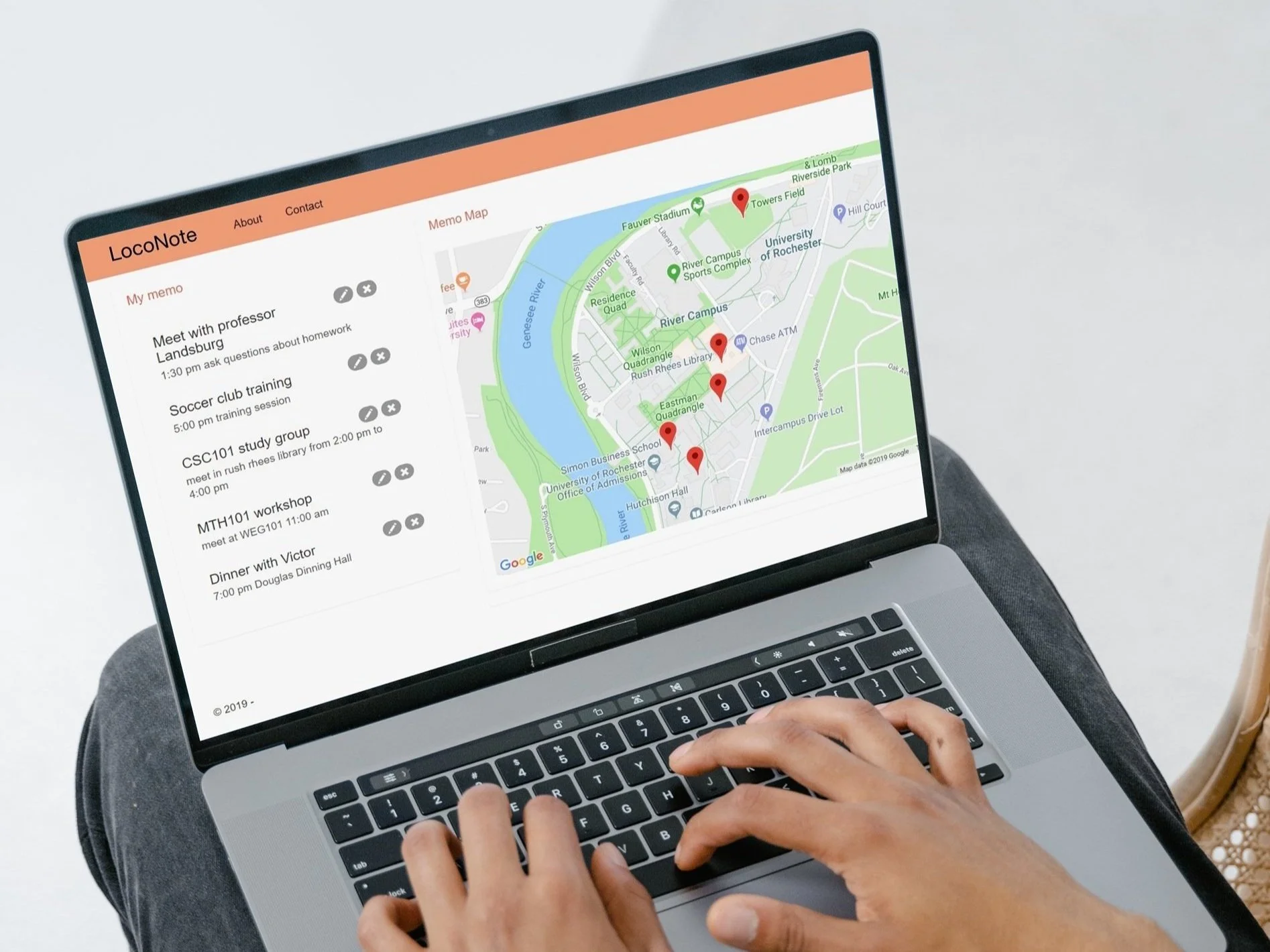
A web app that enables people to take notes according to the locations they choose. You can take notes for certain places and next time you go there you will have a memo to notifiy what you are going to do here.
Role: UX Designer and programer / Team: 4 people team / When: Dec 2019
User Research
Target Audience
When we were thinking about what should we do, we all think that even on a small campus like the University of Rochester, remembering what we are going to do in each building is difficult. It often happens to us that we waste time by going to another building from one but go back there later for other things to do. Therefore, college students and faculties should be our main user group.
Implementation
I designed the UI using prototype software. By writing codes in HTML5 and CSS, we were able to accomplish all the desired functions. Google Map API is included for the memos to be written according to the locations chosen on a map.
Mockup
Worked as a UX designer, I used Balsamiq to do the low-fidelity mockup and then programmed using HTML and CSS with the other two programmers.
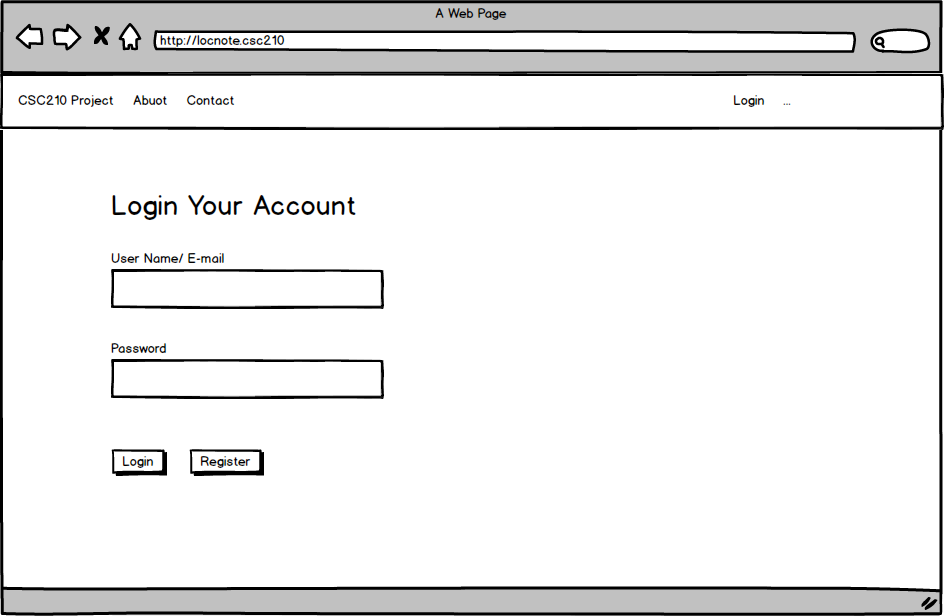
You can login in to your own account and access your notes or add new notes.
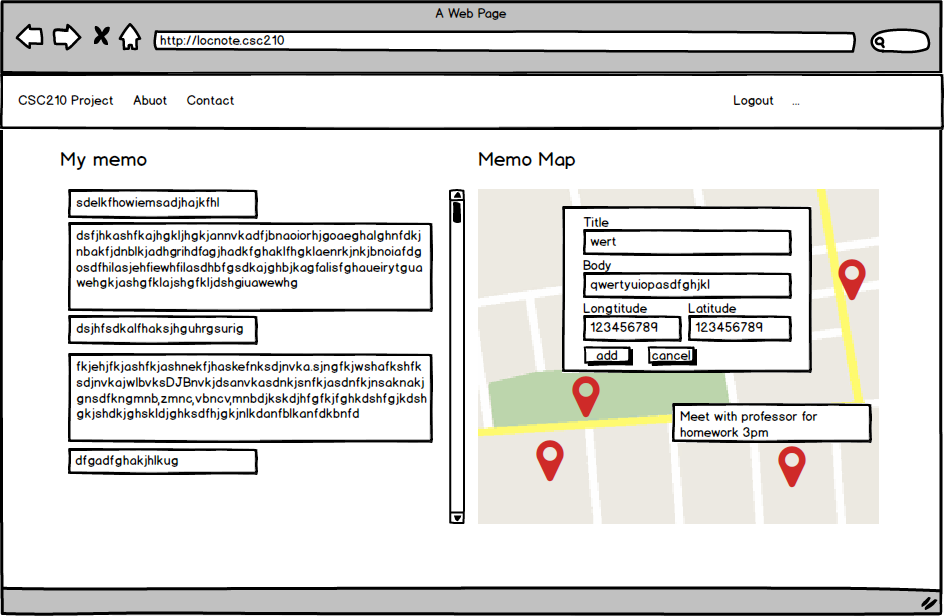
Users are able to browse notes by scrolling the list of navigate though the map.
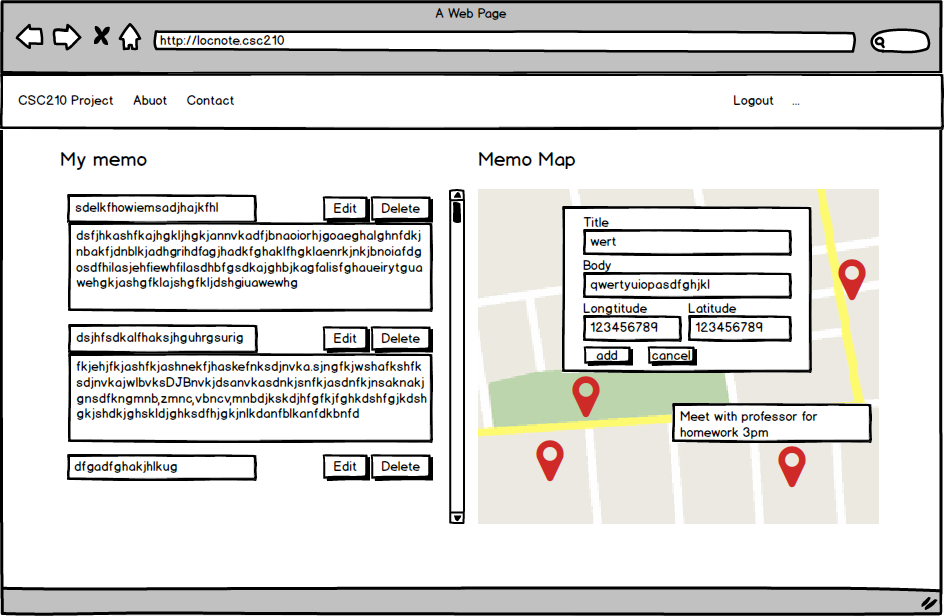
Here are all the main functions demo including add note, read note, and the list of notes.
Result
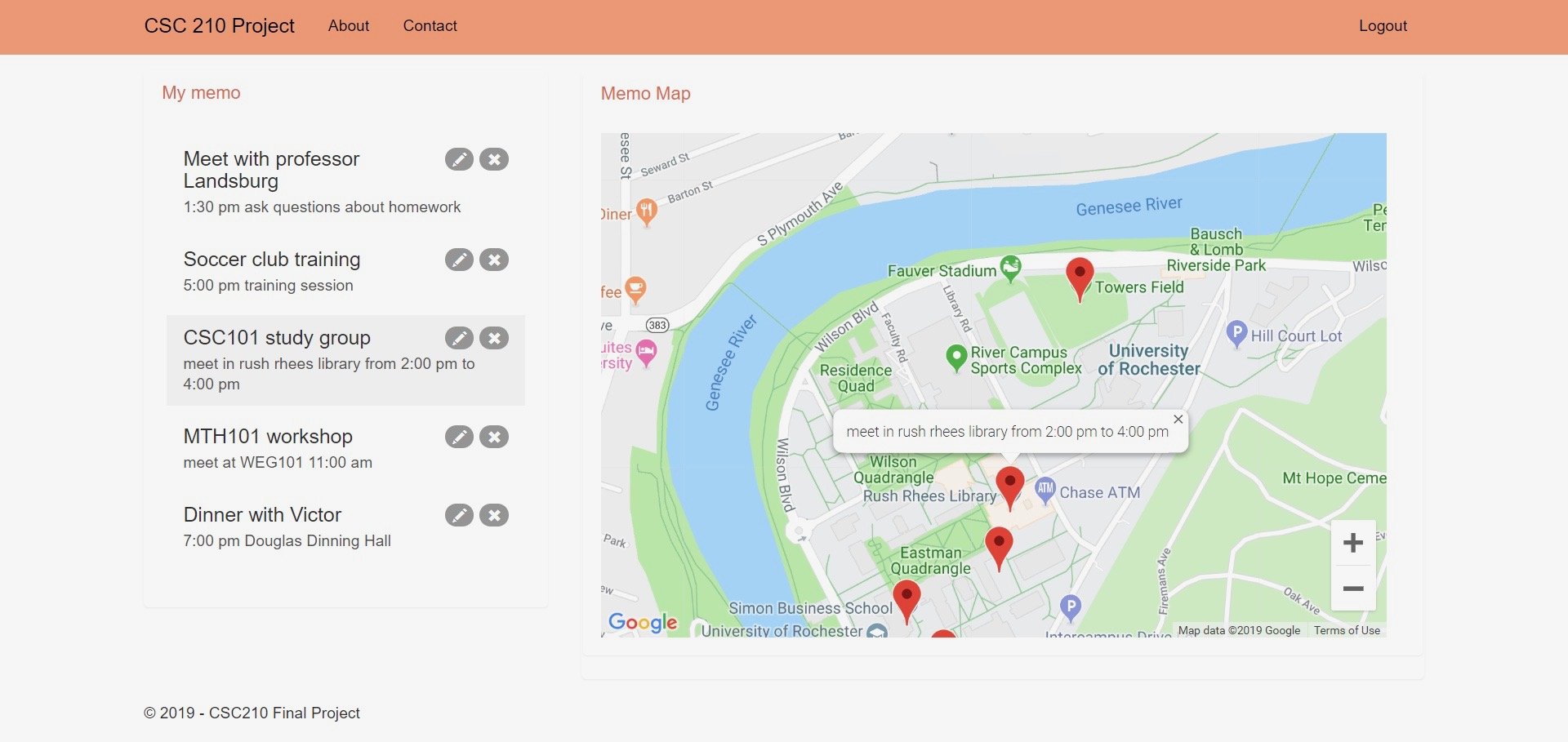
By clicking an existing memo, it will appear on the map. You cal edit or delete in memo list